Connect GitHub
Connect your GitHub organization to begin tracking pull request metrics and team performance.
Prerequisites
Section titled “Prerequisites”- A GitHub account with admin access to your organization
- At least one repository with pull request activity
1. Open the GitHub integration
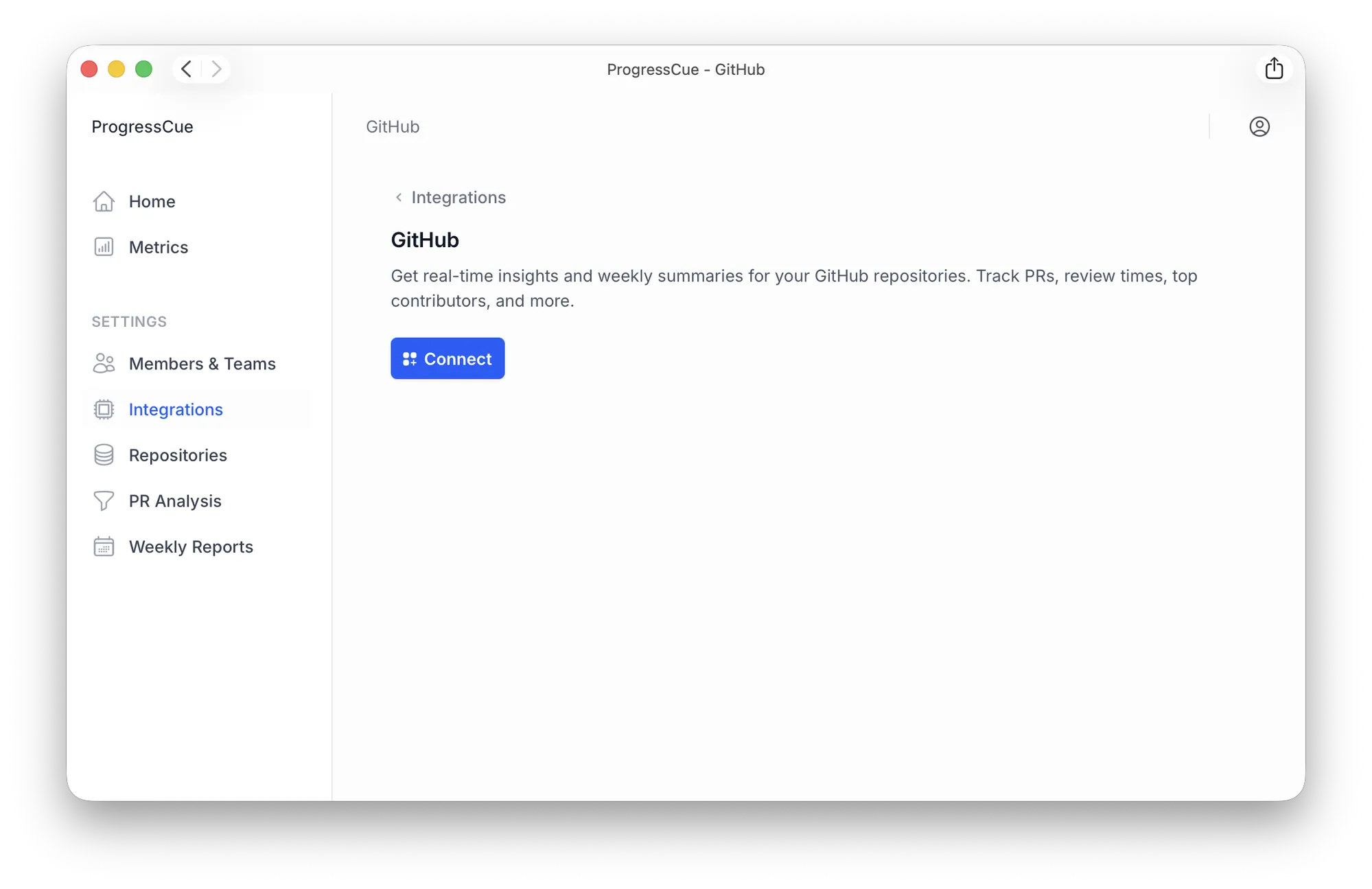
Section titled “1. Open the GitHub integration”Go to Settings > Integrations and click Connect on the GitHub card.
2. Choose your organization
Section titled “2. Choose your organization”GitHub will ask where you want to install ProgressCue. Pick the organization that owns the repositories you want to track.
3. Review permissions and install
Section titled “3. Review permissions and install”Choose All repositories or Only select repositories, then click Install. ProgressCue only requests read access — it never touches your source code.
4. Add your repositories
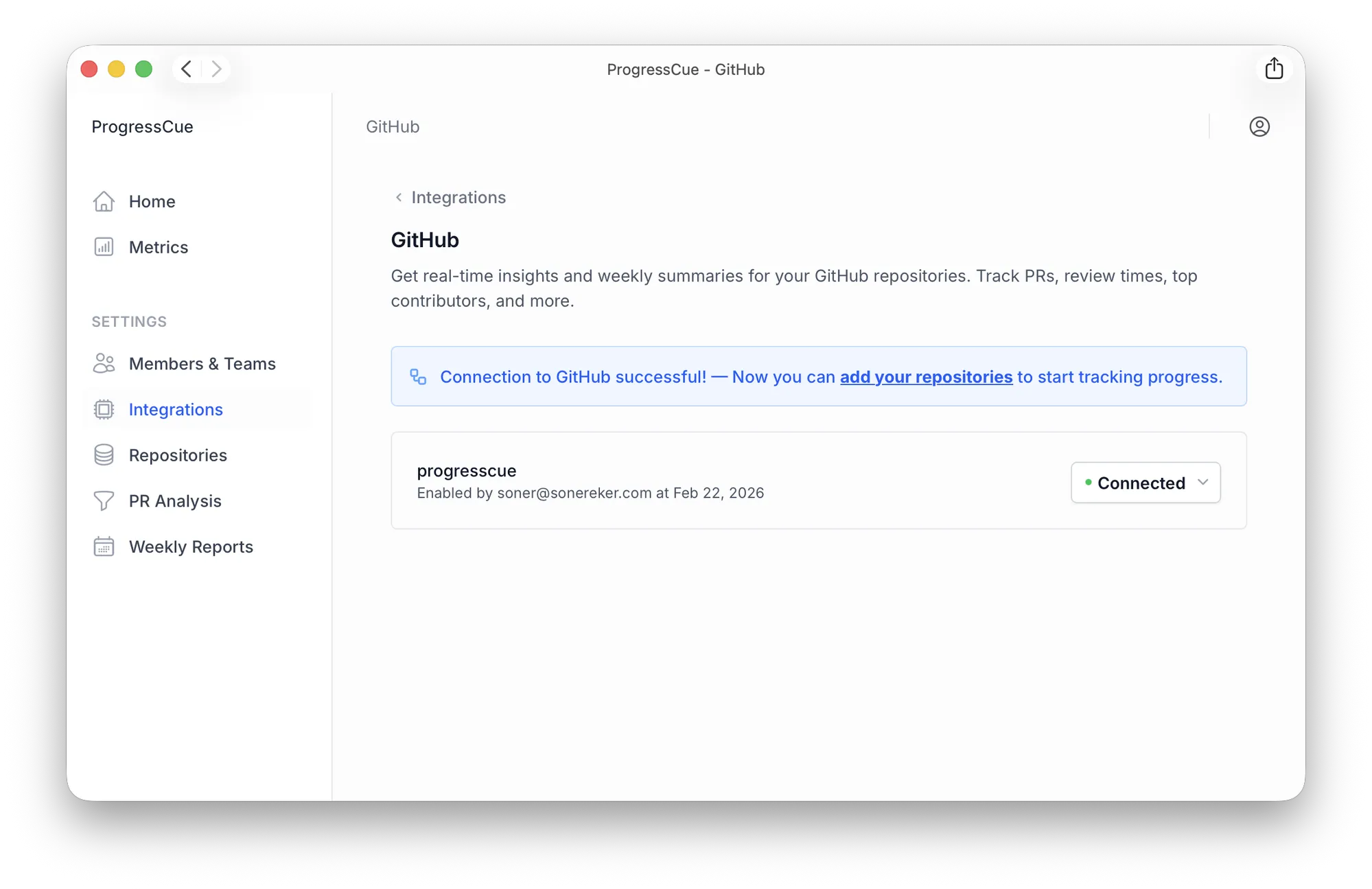
Section titled “4. Add your repositories”After installing, you’re redirected back to ProgressCue. Click the add your repositories link in the success banner.
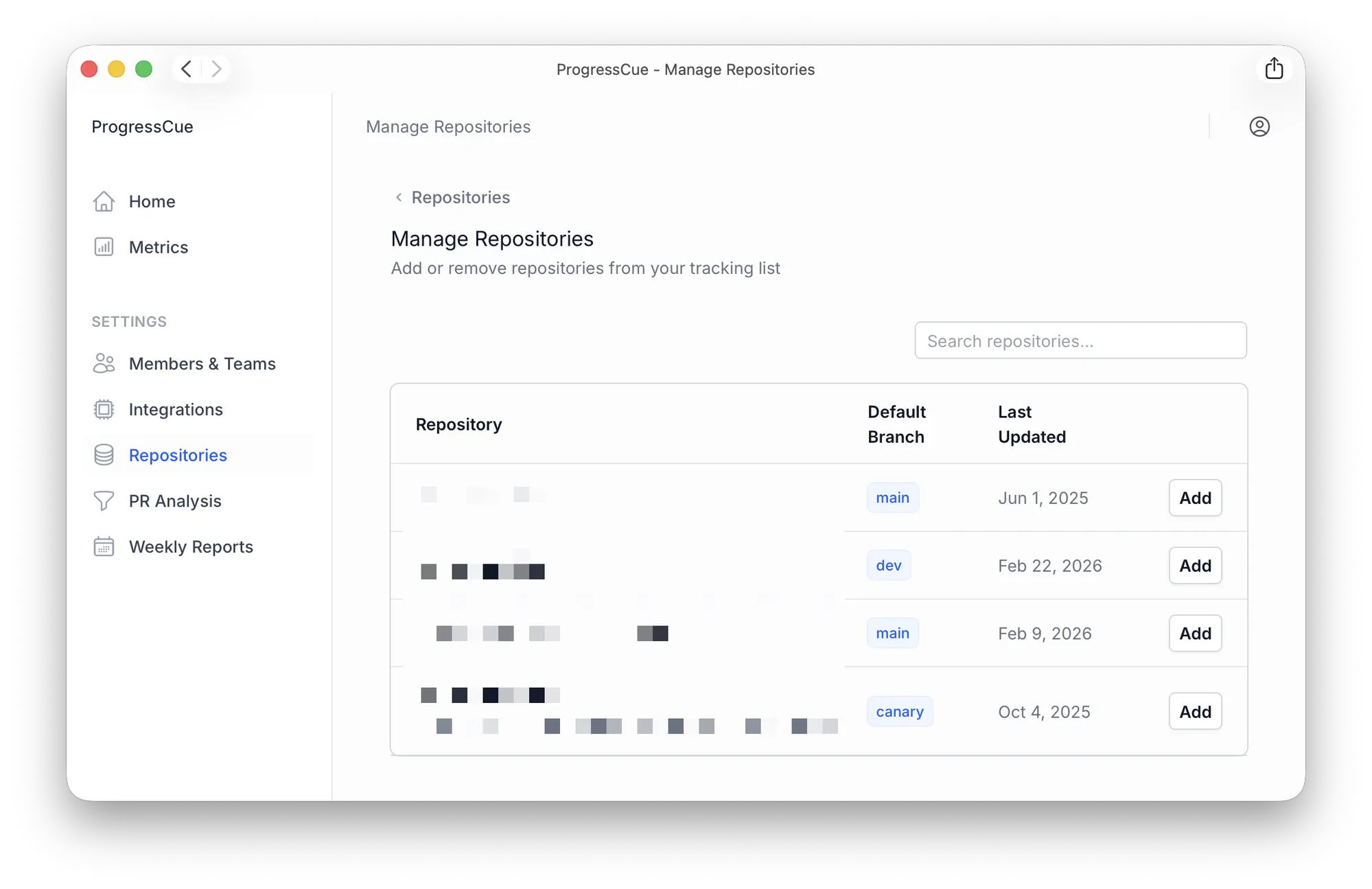
On the Manage Repositories page, click Add next to each repository you want to track.
Once added, ProgressCue begins importing historical data. See Data Import for details on what gets imported and how long it takes.